Real business software, at one-tenth of the cost
Rapid Build turns a conversation into a working application on Azure. AI designs it, GitHub Copilot agents build it, an engineer reviews it, and one console keeps it running.
Why it costs a tenth
Software gets expensive when people do work that a well-directed agent can do in minutes. Rapid Build takes that work out of every stage, and keeps the running cost low once you are live.
Requirements without the workshops
An AI analyst interviews the business owner and writes a build-ready specification as the conversation goes. No discovery phase, no document hand-offs.
Agents write the code
The specification becomes an ordered backlog of focused issues, and GitHub Copilot implements each one as a pull request. A typical Proof of Concept costs less than $3 in tokens.
One engineer, many builds
Your engineer reviews, steers and approves instead of typing every line, so one person can carry several builds at once.
Cheap to run
Serverless Azure: Static Web Apps, Functions, Table and Blob storage. No database server to license and nothing idle to pay for, and it scales as usage grows.
Operations are built in
A feedback widget, triage, an agent-maintained user guide, cost tracking and readiness reviews ship with every app, so first-line support is already automated.
Reuse, don't rebuild
Templates, feature specs, Azure add-ons and operations workflows come from shared catalogs, so every new app starts from proven parts.
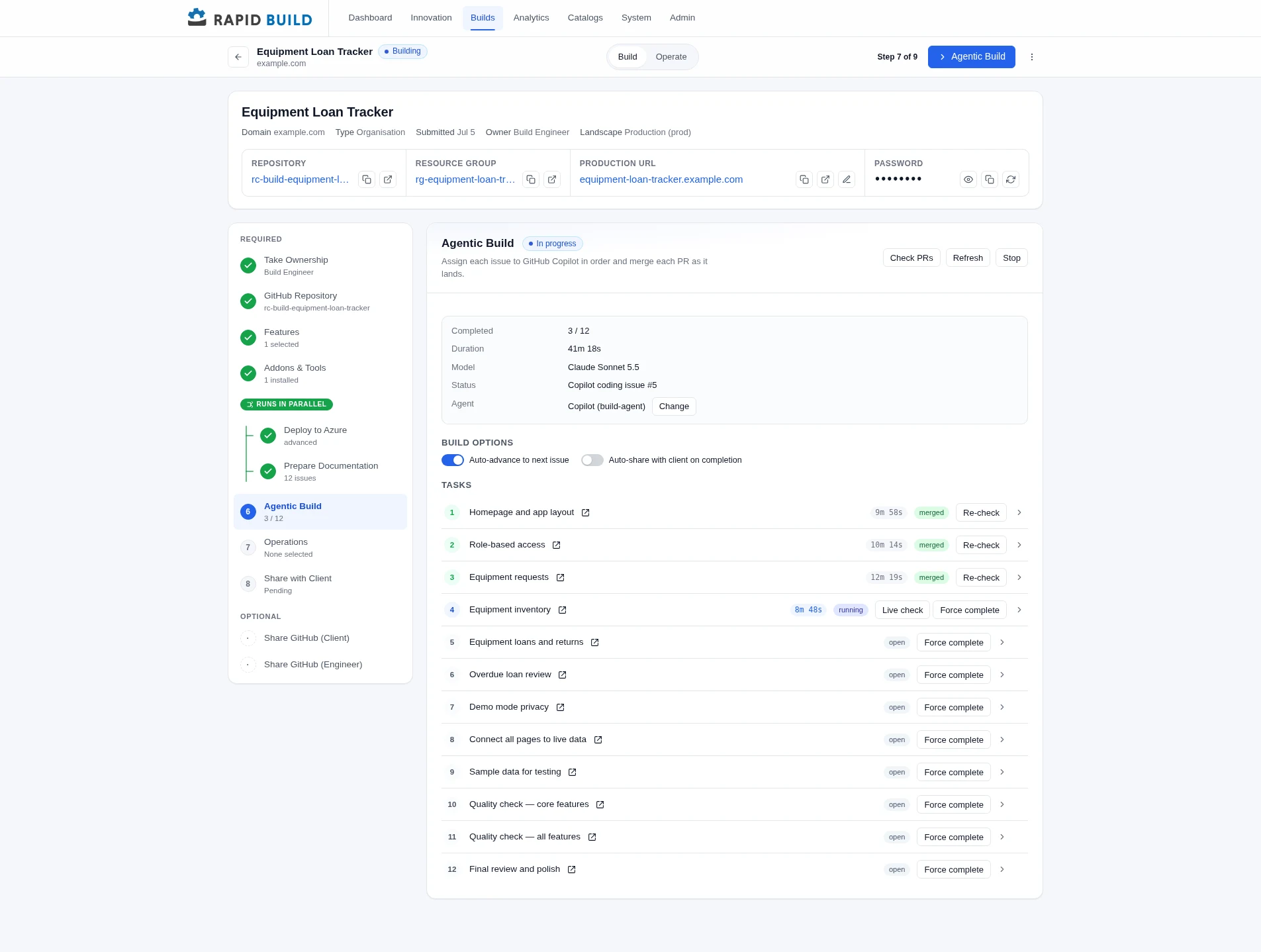
Indicative cost to reach a live, supported application
Relative and indicative. Actual savings depend on scope and integrations.
From idea to running app in five stages
Each stage replaces a slow, expensive hand-off with something automated and traceable.
Specify
TraditionallyWorkshops, interviews and a requirements document that is out of date by sign-off.
With Rapid BuildA conversation with an AI analyst produces a versioned, build-ready specification.
Preview
TraditionallyWireframes and mock-ups reviewed over several rounds.
With Rapid BuildAn interactive prototype renders from the specification, so users can react before any code is written.
Build
TraditionallyA team writes, reviews and integrates code over weeks.
With Rapid BuildCopilot agents work an ordered backlog while an engineer watches and steers.
Deploy
TraditionallyTickets to provision infrastructure, then a manual release.
With Rapid BuildRepository and Azure environment are provisioned from code, with add-ons picked from a catalog.
Operate
TraditionallySeparate monitoring, support and cost tools, plus a maintenance contract.
With Rapid BuildAnalytics, feedback, costs and reviews live in one console, and fixes flow back to the agents.
An AI analyst that writes the specification with you
Business owners describe the problem in plain language. The designer asks the next best question, tracks how complete the specification is, and keeps every version.
- A living specification beside the conversation, with a completeness meter
- Specialist roles such as business analyst, UX designer, security and solution architect each add their view
- Multi-role projects reconcile separate drafts into one specification, with attribution and rollback
- Attach documents and screenshots as context
- A technical specification and delivery plan are generated when the business spec is ready
Many stakeholders, one specification
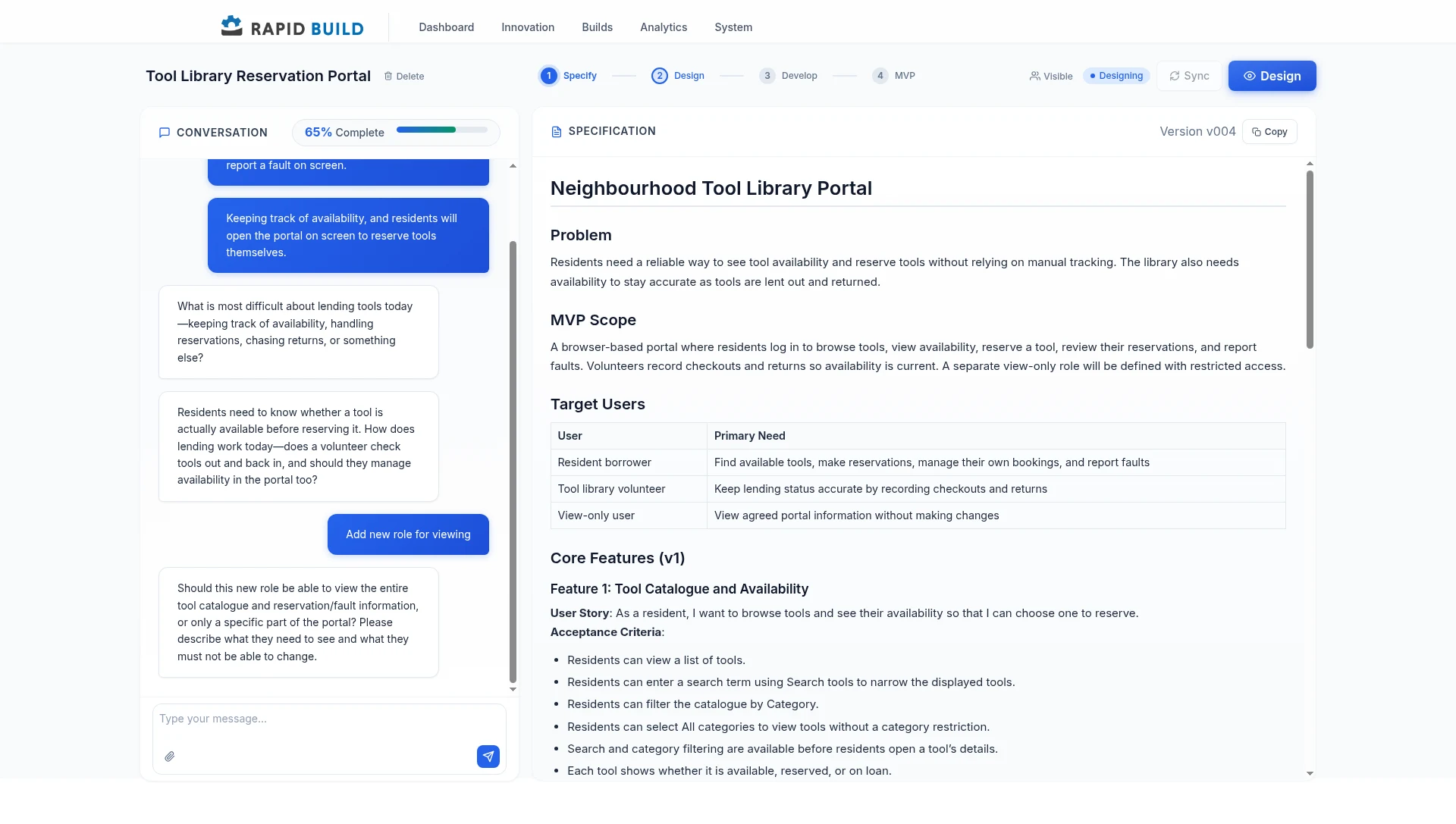
Larger ideas need more than one voice. A project invites each role to draft its own part, then merges the drafts into a single specification that the owner reviews and approves.
- Invite subject-matter experts, architects, data specialists and delivery managers to their own role
- Each role drafts in its own guided conversation, in parallel
- AI merges the drafts and keeps track of who contributed what
- The owner reviews, re-merges with instructions and approves before the design and build steps begin
Agents build it. An engineer stays in control.
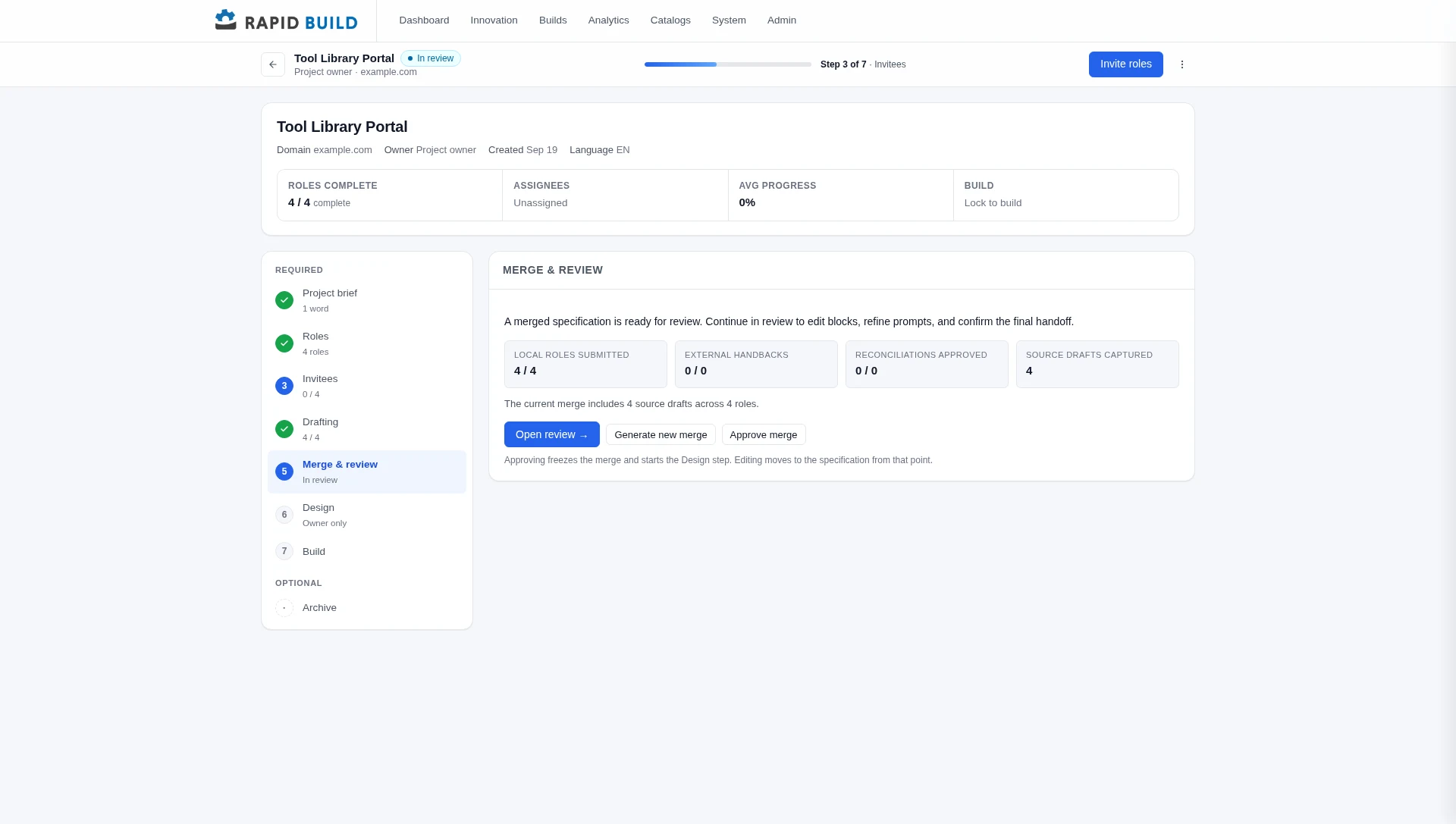
The delivery plan becomes GitHub issues. Rapid Build assigns them to Copilot in order, merges each pull request as it lands, and shows exactly where the build is.
- Auto-advance through the backlog, or step through one issue at a time
- Per-task timings, live checks and a full event trail for every issue
- Choose the AI model and the Copilot identity that does the work
- Quality-check and polish tasks are part of every plan
- Azure deployment and documentation run in parallel with the build
- Stop, re-check or force-complete any task when judgement is needed
Deploy to Azure without a ticket queue
The same workflow that builds the app provisions and deploys it, so there is no separate infrastructure project.
Infrastructure as code
Bicep-based provisioning creates the resource group, hosting and secrets in the target Azure subscription.
Add-ons from a catalog
AI with Azure OpenAI, Application Insights, Redis, outbound email and more, chosen at deploy time.
Environments and domains
Run the same app in environments such as Acceptance and Production, each with its own domain and settings.
Protected previews
Share a work in progress behind a site password, then switch to full sign-in for go-live.
One-click client deployment
Send a deploy link so the customer can install the app into their own Azure subscription.
Your repository, no lock-in
Every build is a normal GitHub repository with the code, specifications and infrastructure. Hand it over whenever you are ready.
Run it from the same console
Switch from Build to Operate and the same page becomes the control room for the live app.
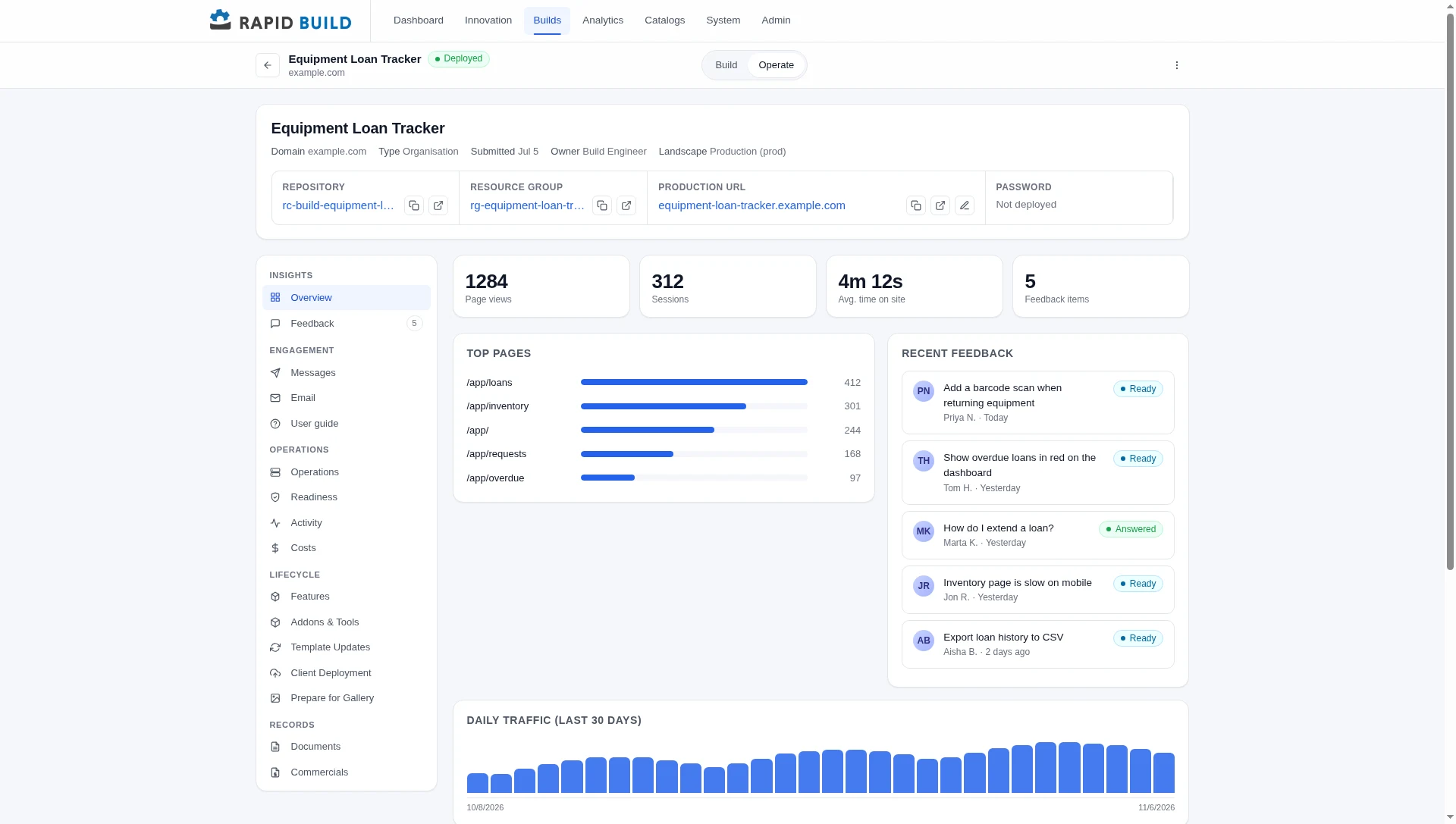
- Traffic and usage analytics for the deployed app
- An embedded feedback widget that answers how-to questions from the app's own documentation, flags duplicates and files the rest as GitHub issues
- Assign a feedback item to Copilot and review the fix like any other pull request
- Azure, Copilot and runner costs tracked per build
- Well-Architected readiness reviews across reliability, security, cost, operations and performance
- Template updates raise a pull request when the starting template improves
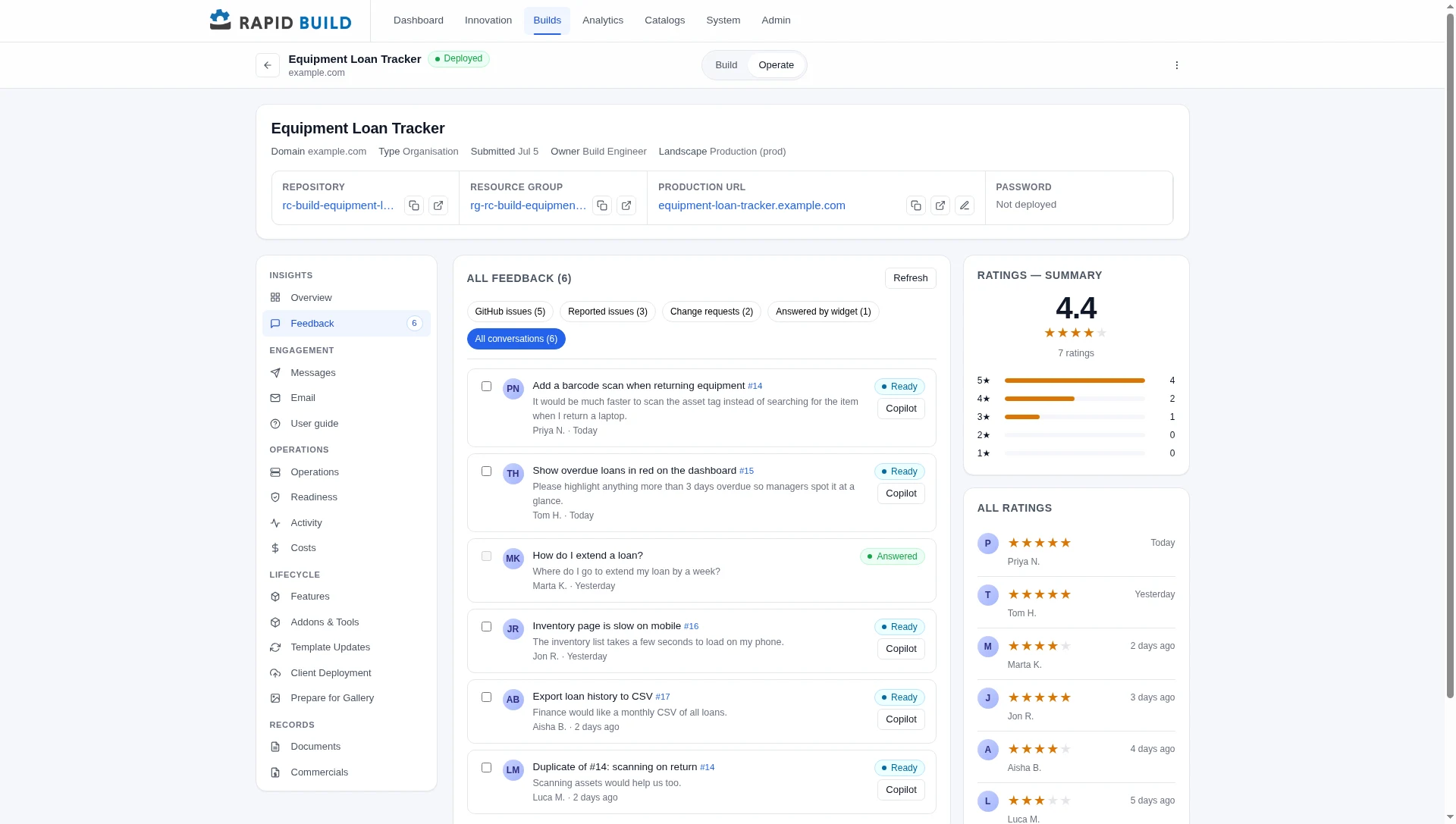
Feedback that turns into fixes
Every conversation from the in-app widget lands here with its status, ratings and linked GitHub issue. Assign an item to Copilot with one click, or batch several together. Sample data.
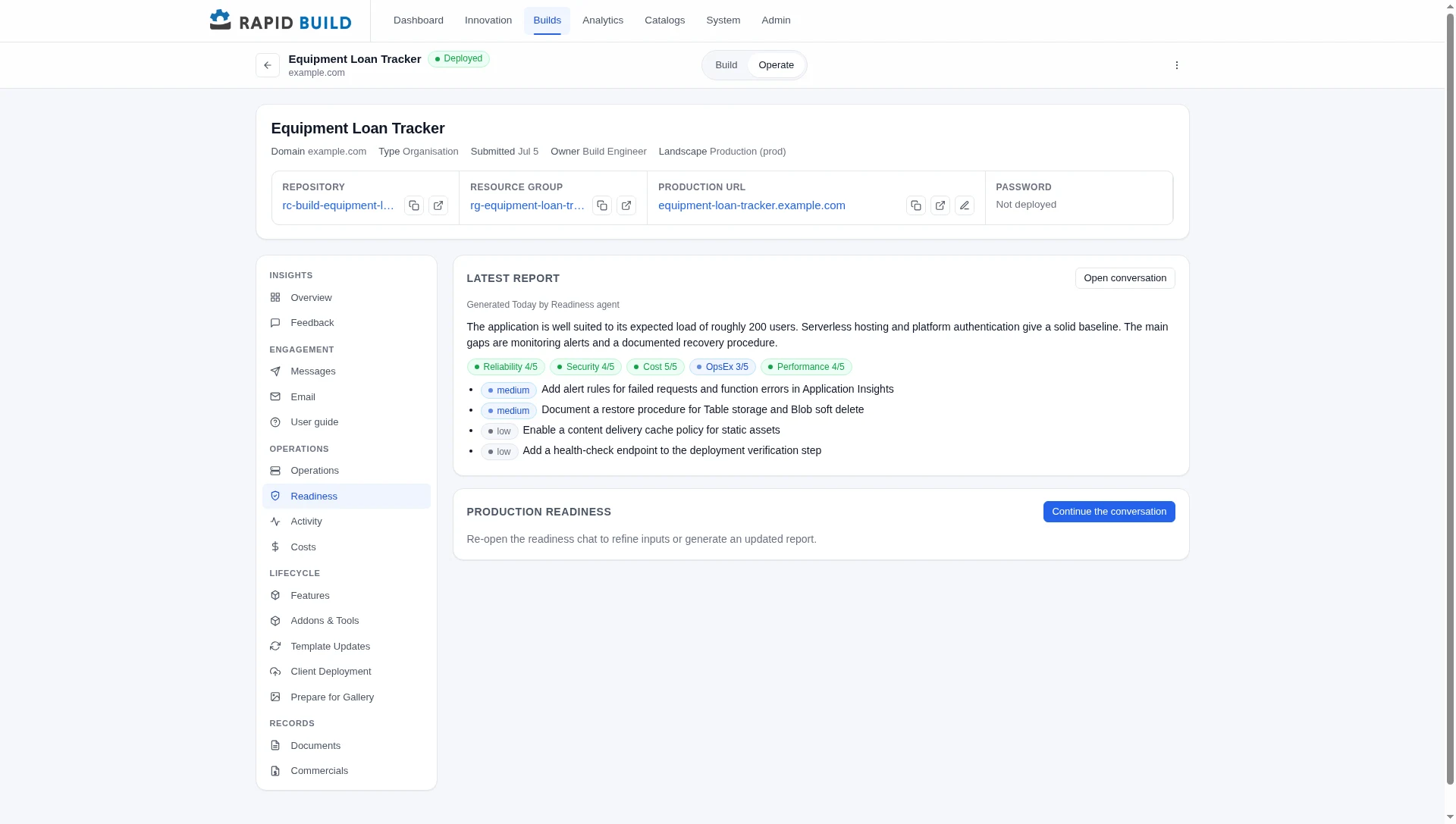
Readiness reviews on demand
An AI reviewer scores the app against the five Azure Well-Architected pillars and lists the findings to fix before go-live. Sample data.
Shared catalogs make every build cheaper than the last
Administrators curate the building blocks once. Every new app reuses them.
Build templates
Starter repositories that encode your stack, standards and pipelines.
Feature library
Reusable feature specifications such as app launcher, demo mode, guided tour and maintenance mode, implemented natively in each app.
Azure add-ons
Declarative building blocks for AI, monitoring, caching and email.
Operations workflows
Reusable GitHub Actions for security baselines, installed into each repository.
Built for enterprise from the first commit
Cheaper does not mean looser. The controls your organisation expects are part of the platform.
Standard Azure services
Static Web Apps, Functions, Table and Blob storage. No proprietary runtime to maintain or escape from.
Platform authentication
Sign-in, sessions and route protection come from Azure, never from hand-rolled code.
Runs in your tenant
A single-tenant mode deploys the platform inside the customer's own Azure and Entra ID tenant.
Audit trail
Every build step and event is recorded and can be reviewed after the fact.
Engineer review
Every pull request merges under an accountable engineer, with quality checks built into the plan.
Multilingual
The platform ships in English and Dutch, and each person sees their own language.
Ready to see your idea running?
Describe your challenge and get a live Proof of Concept on Azure within 24 hours.